
NEWS
Grow Your Business with 500K More Active Listings!
Two new MLS Search Partners have joined our rapidly expanding network, giving you valuable, no-cost access to listing data beyond Bright.
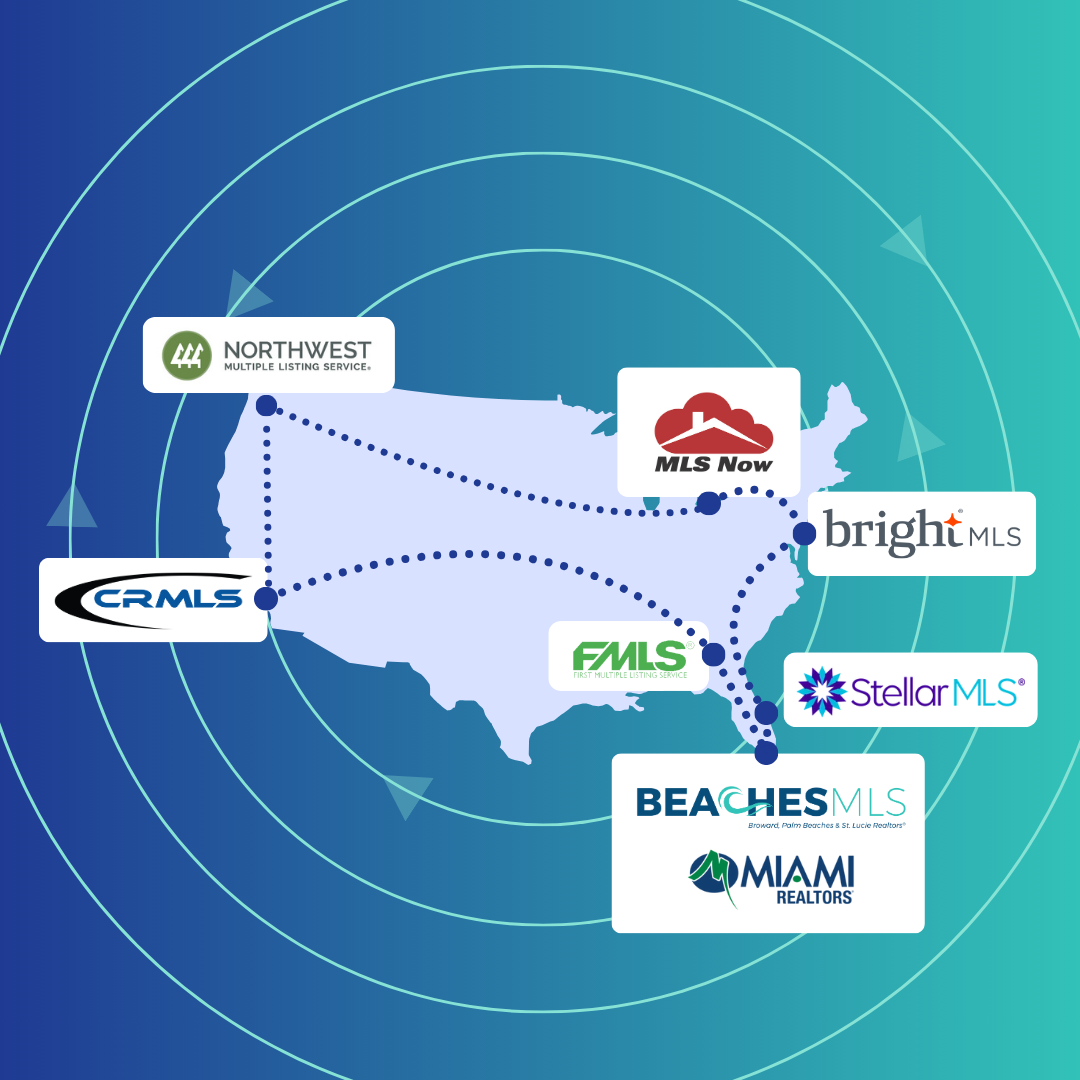
We’re pleased to announce the two latest additions to our growing list of MLS Search Partners: Miami REALTORS® and First Multiple Listing Service (FMLS) have joined the network, bringing access to thousands of additional active listings located in South Florida and Georgia.
How does access to these search systems benefit you?
Our MLS Search Partners initiative gives you access to listing data through the search systems of partner MLSs located in regions beyond Bright, many of them in key areas for relocation. Putting more than 500,000K additional active listings at your fingertips, this initiative translates to more opportunities for referral business, more exposure for your Bright listings, and a broader reach—all at no additional cost and with just one login.
What areas are covered by our Search Partner MLS systems?
- NEW! Miami REALTORS® serves more than 60,000 real estate professionals and incorporates listings across Florida counties including Miami-Dade, Broward, Palm Beach, Martin, and St. Lucie.
- NEW! FMLS serves more than 47,000 real estate professionals in Georgia and boasts a database that contains 31,000+ active listings spread across 110 counties throughout the state.
- BeachesMLS includes Broward, Palm Beach, and St. Lucie County. BeachesMLS currently has around 46,000 listings and includes more than 100 miles of Florida coastline.
- CRMLS coverage areas include 41 Associations, Boards, and MLS organizations throughout the state of California. You can review the list and a map of areas they cover here.
- MLS Now coverage comprises a total of 32 counties—27 in Ohio and five in West Virginia, with a database dating back to 1991 that includes more than 2 million listings.
- NWMLS coverage areas include Washington State and parts of Oregon. You can review and download a map of their coverage area here.
- Stellar MLS incorporates more than 20 REALTOR® organizations and provides the largest MLS coverage area throughout Florida and Puerto Rico.
How to access and navigate Search Partner MLS systems
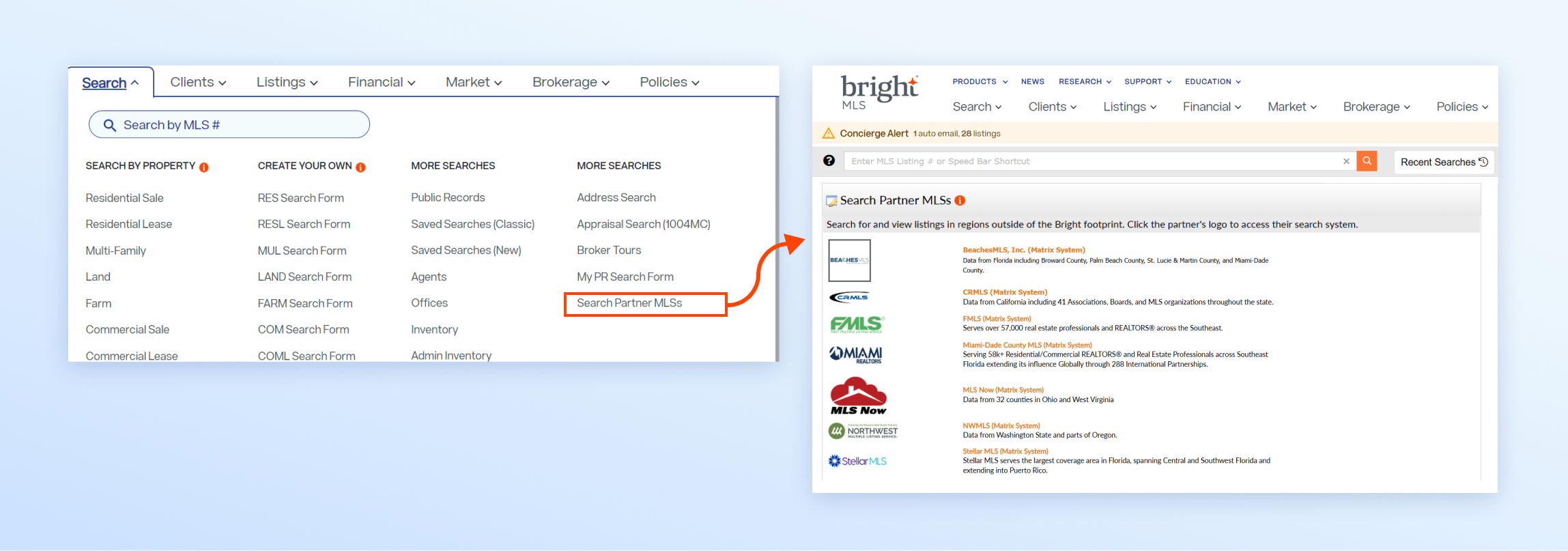
Use your Bright credentials to access the new MLS search systems—no additional login is needed.*
- From your Bright Workspace, open the Search menu and click Search Partner MLSs.
- Click the logo of the MLS region you want to search to access that MLS's search system.
- You will be taken out of the Bright system and into the other MLS Search system.
- Other MLS search systems may vary from Bright; follow their onscreen instructions or help prompts to navigate within them.
Note: You can also access external links to these Search Partner MLS systems from your Carts & Favorite Searches page in Bright.
* License laws still apply. Access to listings does not equal the ability to sell in a particular state.
FAQs About Search Partner MLSs
Can I use all the features available in the other MLS?
Through the Search Partner MLSs link, you can access that MLS partner’s Search system to find, review, share, and save listings created in their area. You cannot enter, create, or update listings. To learn how to navigate each MLS partner’s search system, please refer to their online help resources in their search system.
Can I send listing information from a partner MLS to my clients?
With the exception of Stellar MLS, you can share or email listing information to your clients directly from the MLS partner’s search system. At this time, the auto email and exporting features in the Stellar MLS search system are not accessible to Bright subscribers. Please note: Your clients will view and receive this listing information directly from the MLS partner’s client portal—not from Bright.
How can I customize my agent information if I share listings with my clients?
To learn how to customize your information for each MLS partner’s search system, please refer to their online help system. You can access the online help associated with their search system by clicking the Help link under the dropdown menu that displays your name and is located in the right corner of the MLS partner’s search.
What’s the difference between a search partner and a data share?
With a search partner you are given access to another MLSs search system. You will search for and view listings outside of the Bright system at no additional cost. A data share can include a variety of things, but historically involves access to additional listings directly in the Bright system. Both options provide you with more value included in your Bright MLS subscription, as well as greater access to listings to help grow your business.
Partner With Us
Find out how your organization could benefit from a Bright partnership.