NEWS
New location for save option during listing entry
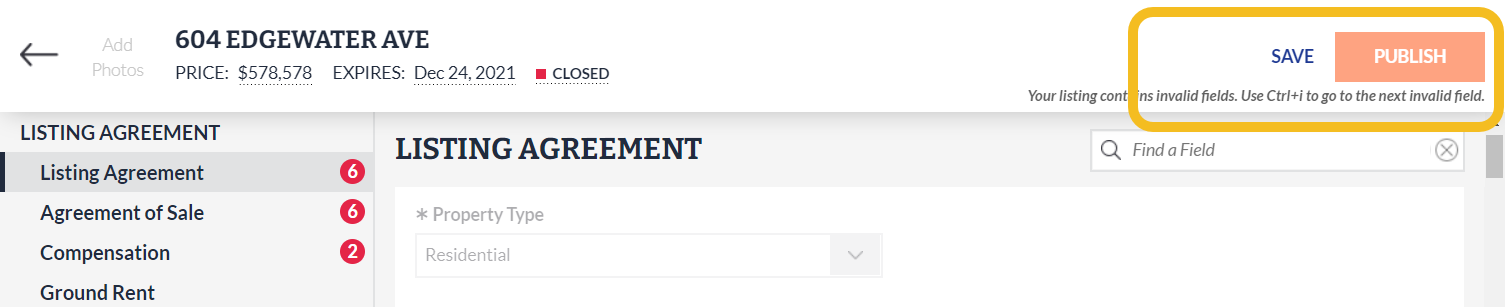
Based on your requests, the Save Now option in Listing Management has been moved next to the Publish button and is now more prominent.
While all changes and updates to listing information are automatically saved while you work in Listing Management, you also have the option to manually save your listing at any time.
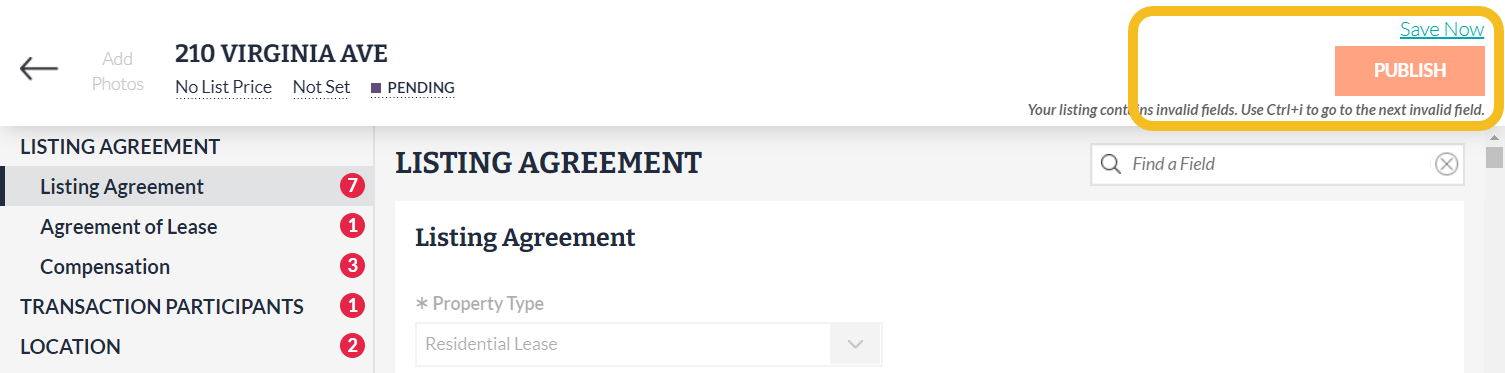
Previously, the “Save Now” link was located above the Publish button on the full edit screen of Listing Management:
Save Now (Old) - Listing Management
As of September 14, the Save button is now located to the left of the Publish button to minimize the chance of accidentally publishing your listing before you are ready, and is also more visible:
Save (New) - Listing Management