
Here’s what you need to know about recent updates that ensure NAR settlement compliance while enhancing flexibility and transparency.
NEWS
System Updates: August 14
Learn about the new changes in Listing Management, and other updates in Bright.
The following items were released August 14:
All compensation fields and compensation-related permissions have been removed from Bright.
In compliance with the court-ordered terms of the NAR settlement, the following fields have been removed for all property types in Listing Management:
- Buyer Agency Compensation Selection
- Sub Agency Compensation Selection
- Transaction Broker Compensation Selection
- Remarks - Compensation
- Dual Variable Compensation Y/N
As of August 14, offers of compensation cannot be mentioned anywhere in Bright, and fines will be assessed if found. Please check your listings to make sure they don’t contain compensation/commission language or information prohibited by the settlement.
New automated validation check for alerting you to potential violations in Listing Management.
To help you avoid potential fines, a new automated check in Listing Management will flag words and phrases that are not allowed under the NAR settlement, as well as URLs, email addresses, and other phrases that could result in a violation. If you believe the information entered is OK to use, you will be able to accept the notification and publish. Learn more

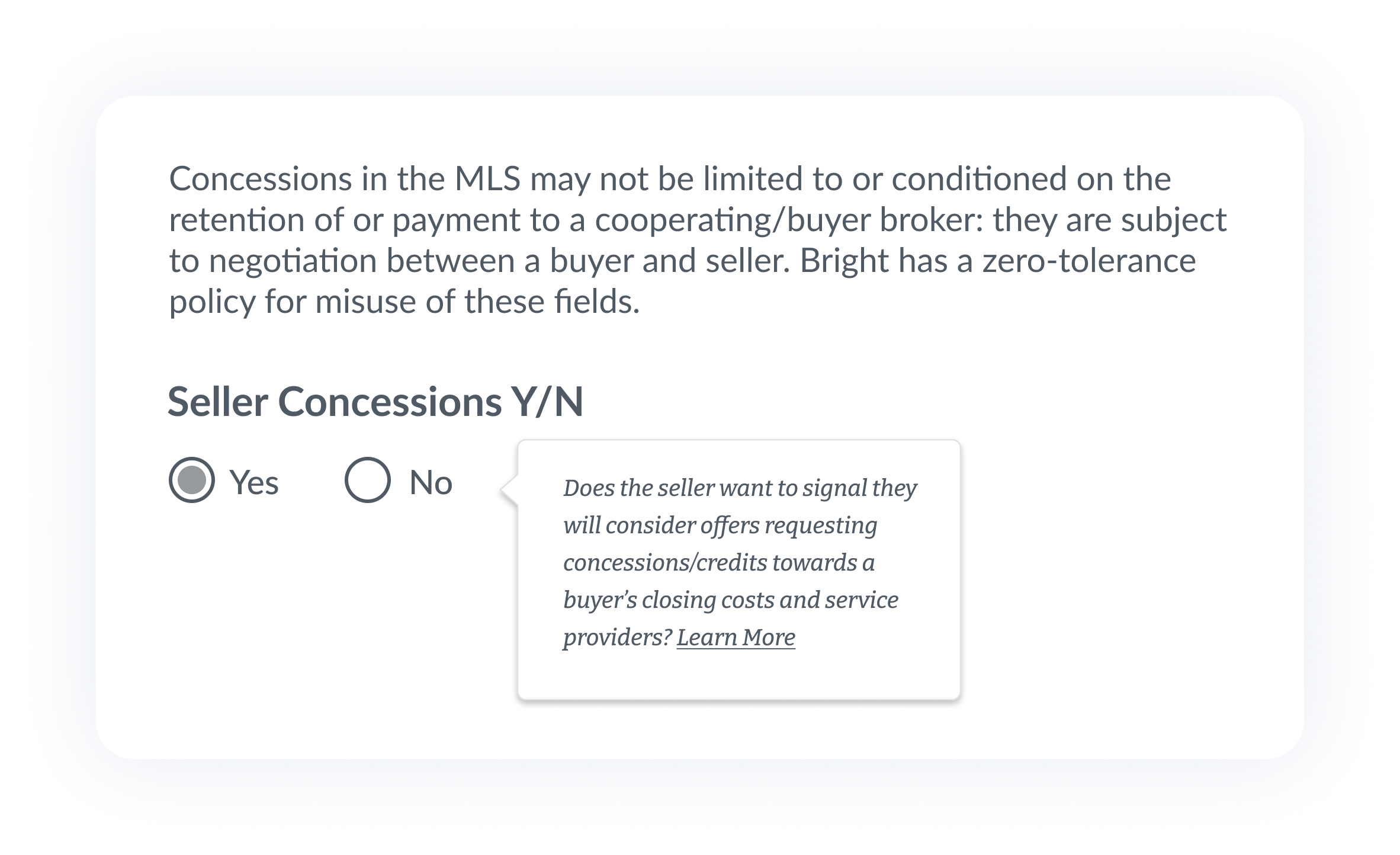
Updates to seller concession fields at listing entry and listing close.
Based on subscriber feedback, we have made several adjustments to the seller concession fields released in June.
Please note: As of December 10, 2025, final concessions information is now required at listing close. Learn more
- At listing entry, the Dollar Amount and Percent fields have been removed, and only the Seller Concessions Yes/No field will now display.
- At listing close, the Amount paid by seller towards buyer’s broker costs field will no longer be displayed. You may now enter this amount, if any, in the Amount paid by seller towards closing costs field.
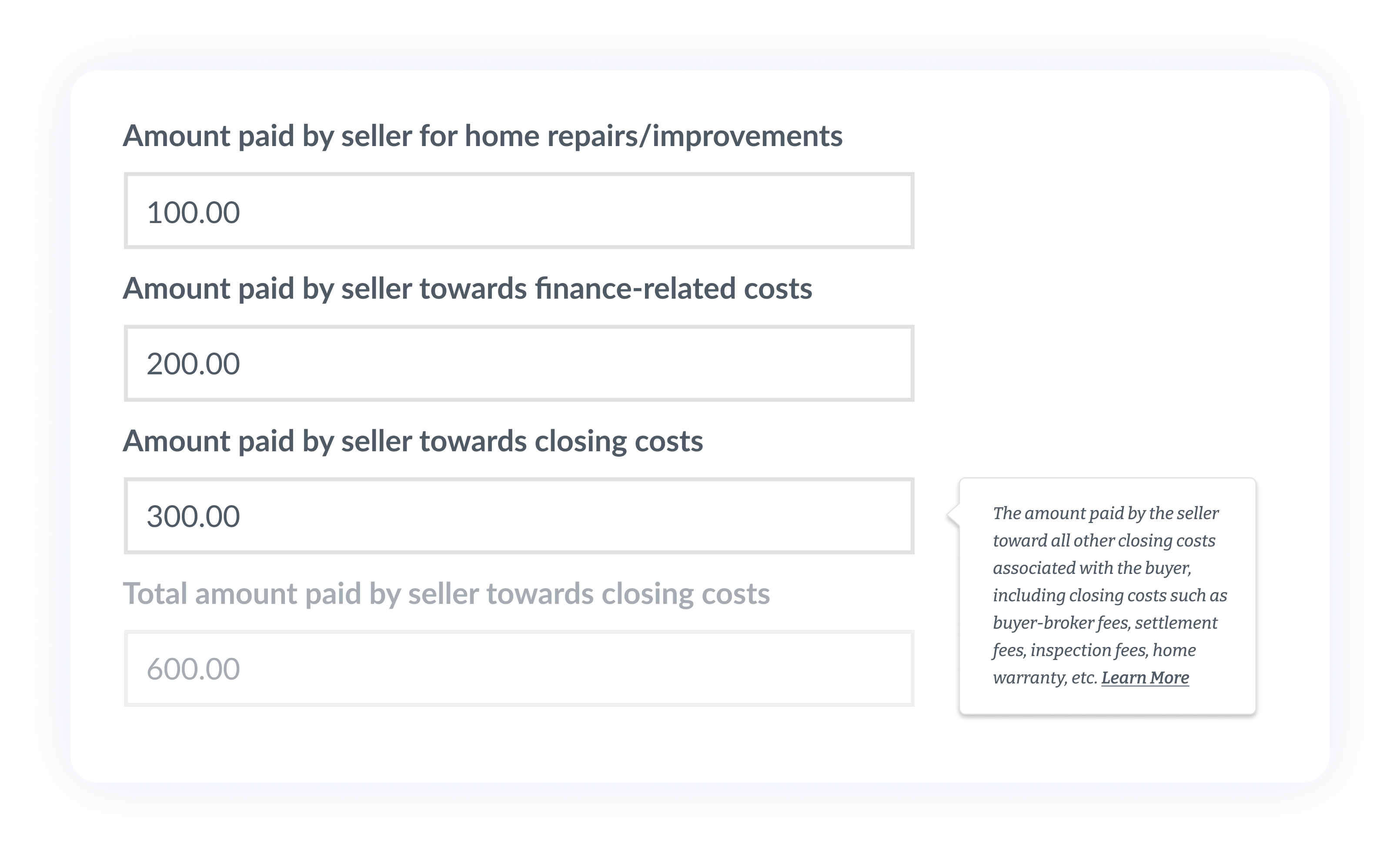
Please note: Total amount paid by seller towards closing costs is an automatic field that populates as the sum of the fields above, and is not editable.
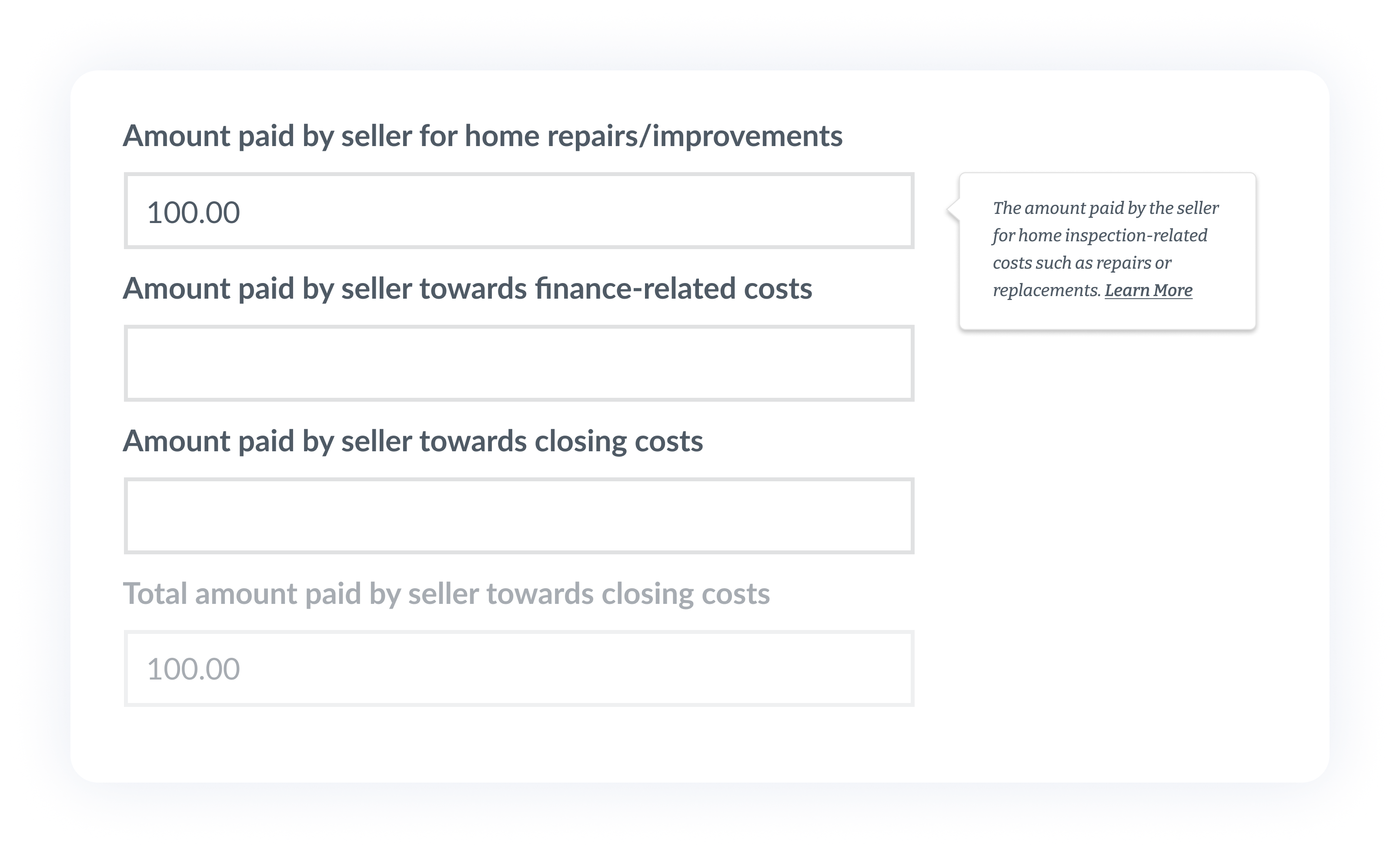
- Help text has been added for each of the final concession fields to clarify how these fields should be used.
Properties can be Coming Soon for an unlimited time.
Previously, listings could only remain in the Coming Soon status for 21 days, or for two years if marked as new construction. These limits have been removed, and the Expected On Market Date of a property can be any date in the future. For existing Coming Soon listings, you can now update this date as needed so the listing does not move to Active before the property is ready.
Please note: Showings cannot be held while a property is in the Coming Soon status. If showings are held, the status needs to be changed to Active.
Listing Term Begins can be any date in the past.
In Listing Management, the Listing Term Begins field indicates the date that a listing term begins according to the listing agreement. Previously, this date had to be within 30 calendar days of the date a listing was published. This restriction has been removed, and you can now assign any date for this field as long as it is in the past.
Please note: Once the Listing Term Begins field is published, it is not editable. Should you need to correct this date, please email accuracyandpolicy@brightmls.com and datacorrect@brightmls.com and include a copy of the listing agreement.
New map enhancement for viewing available schools in Bright Search.
Using the Layers icon in map search, you now have the option to view high schools, middle schools, and elementary schools that are available to students regardless of their home residence. Learn more
New option for indicating unrepresented buyers in Listing Management.
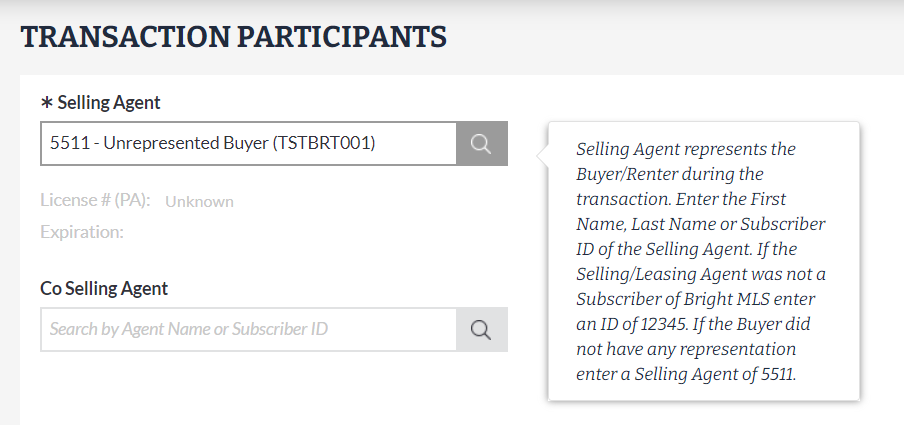
In Bright, Selling Agent is a required field when updating a listing to Active Under Contract, Pending, or Closed. To improve data accuracy, you can now indicate a buyer was unrepresented during a transaction by entering 5511 instead of the 12345 ID reserved for non-Bright MLS agents.
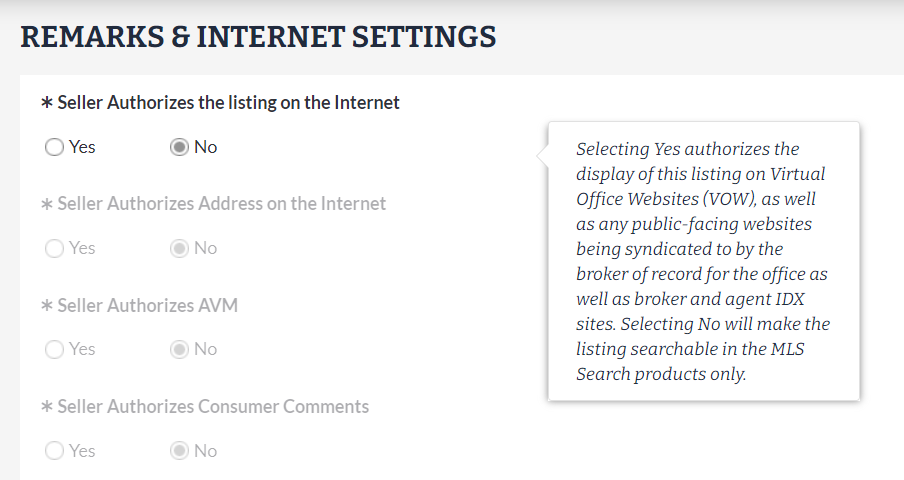
Internet settings will now automatically populate for comparable listings.
When entering a comparable listing in Bright, the following fields will now default to No when Comparable Y/N = Yes:
- Seller Authorizes the listing on the Internet
- Seller Authorizes Address on the Internet
- Seller Authorizes AVM
- Seller Authorizes Consumer Comments
These fields will remain editable in Listing Management if they need to be changed to Yes.
Listing Preview & Share is now available for published Office Exclusive listings.
In addition to draft listings, you can now share a preview of any published listing where Office Exclusive Y/N = Yes to easily review property details and prepare these listings to be entered into the MLS. Listing Preview & Share is available for residential properties under Listing Options in Listing Management.
Recent articles
Before you enter concession information in Bright, make sure you know and understand how these fields are to be used.
Back to Top