
Get the details on Bright’s policy updates designed to better address the evolving needs of agents and brokers.
NEWS
System Updates: December 16
Learn about the latest enhancements for working with clients, and other updates in Bright.
The following items were released December 16:
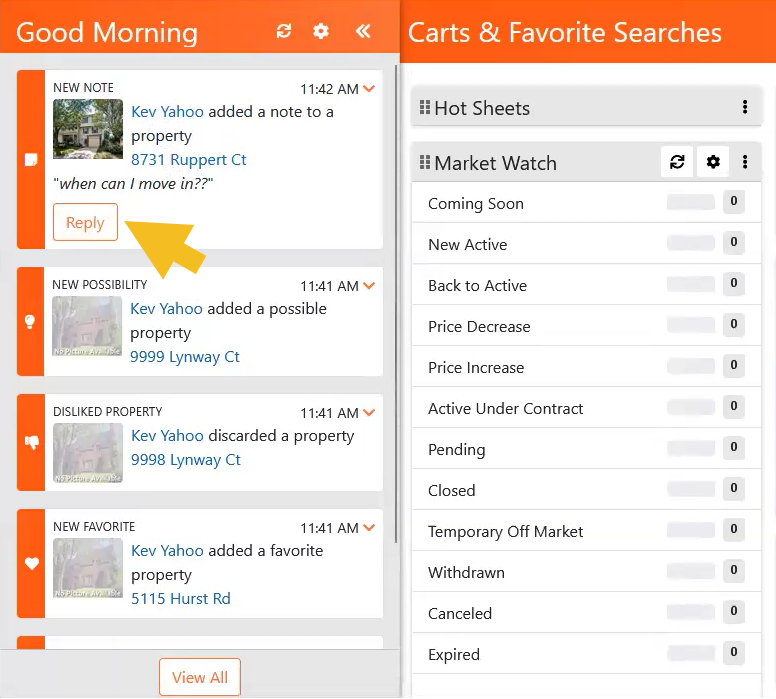
New and improved functionality in Carts & Favorite Searches.
Under the Clients menu, you can now customize your Carts & Favorite Searches dashboard using grabber handles to drag and drop items on the screen.
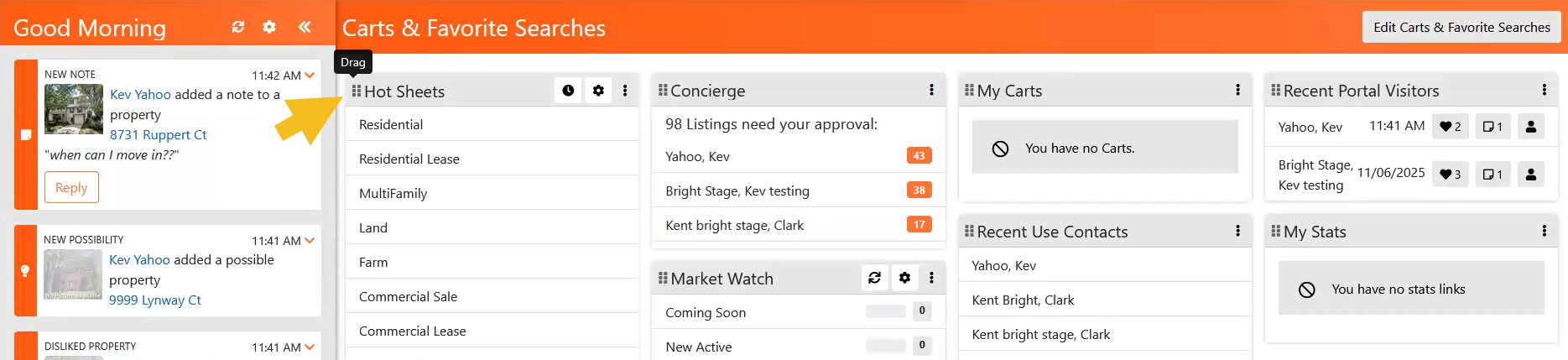
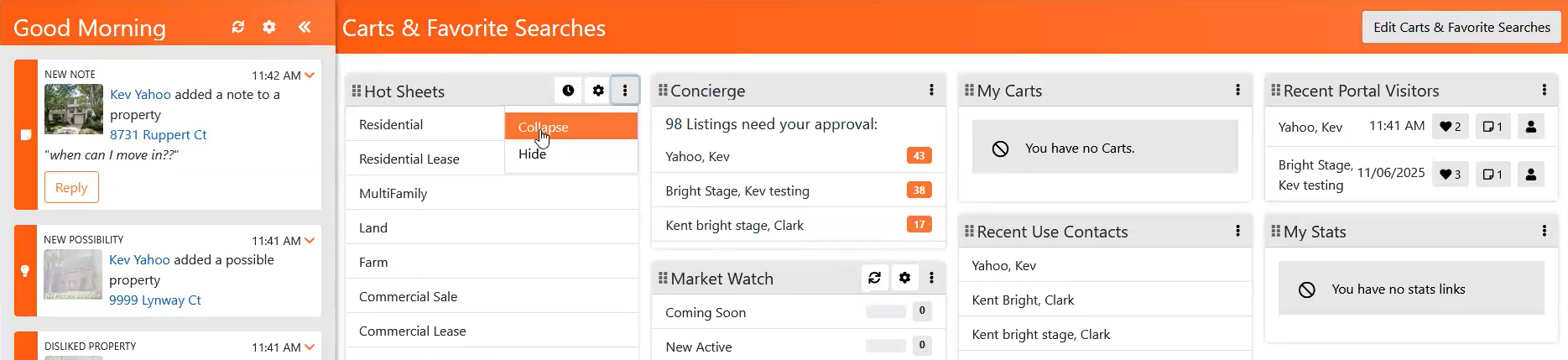
A Collapse or Hide option is also now available to the right of each tile. To see which items you have enabled or restore any that may be hidden, select the Edit Carts & Favorite Searches button at the top of the screen.
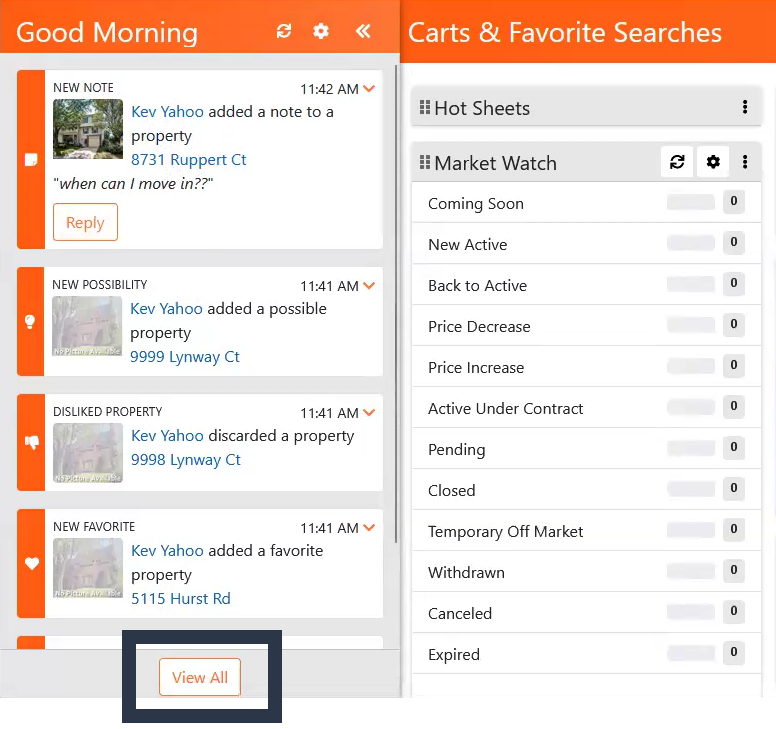
A View All option has been added to the Timeline for an expanded view of your activity history.
From here, you can search by name or address, filter by activity type, and expand or collapse each activity for additional detail.
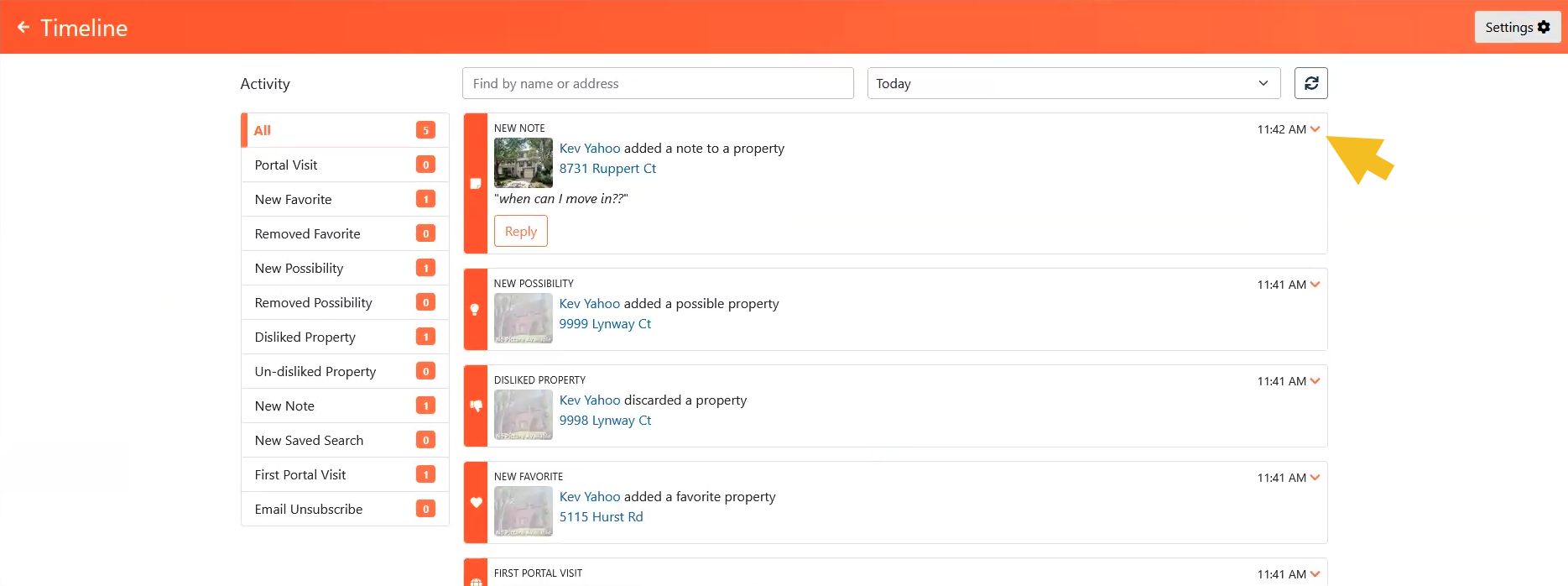
Messages that appear on your Timeline from the Client Portal now have a Reply To button, allowing you to respond to your client directly from the Timeline.
You can now search by address directly from the Workspace.
In addition to searching by MLS Number, you can now search for listings in Bright by entering the property address in the Workspace Search bar.

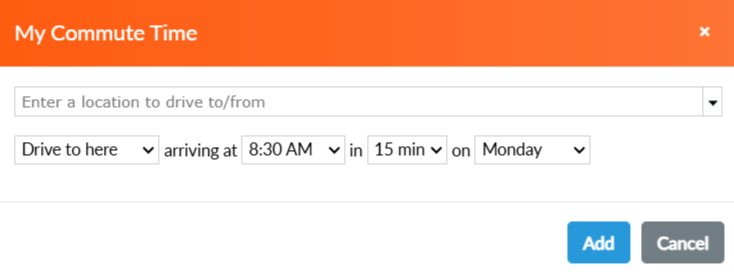
INRIX Drive Time is now My Commute Time in Bright’s Map Search.
To help you find properties within a certain commuting distance for your clients, the INRIX Drive Time integration has been replaced with Google Maps functionality, and is now labeled My Commute Time.
Recent articles
Learn about the new and improved options for submitting offers from a listing, and other updates in Bright.
Back to Top