
Learn about the updates to Search and Listing Management, and other updates in Bright.
NEWS
System Updates: February 19
Learn about the new changes to BrightMLS.com and other recent updates.
The following items were released February 19:
New look to public pages on BrightMLS.com.
In the first phase of our site refresh, the following pages have been updated with a new design and more intuitive layout:
- Home page
- About Us
- Join
- Support
- Training
- Careers
Please note, these updates do not affect the navigation or workspace after you log in to Bright. The purpose of the ongoing redesign is to improve, modernize, and streamline the user experience on BrightMLS.com. Learn more
MLS Now added to Search Partners MLSs.
In addition to CRMLS and BeachesMLS, MLS Now is now available through Search Partner MLSs, giving Bright subscribers access to listings in Ohio and West Virginia through a single login. Learn more
New HOA fields in Listing Mangement and Search.
Based on your requests, HOA Email and HOA Website have been added as optional fields for all properties where HOA Y/N = Yes. These fields can be found in the Association & Management Contact section of Listing Management.
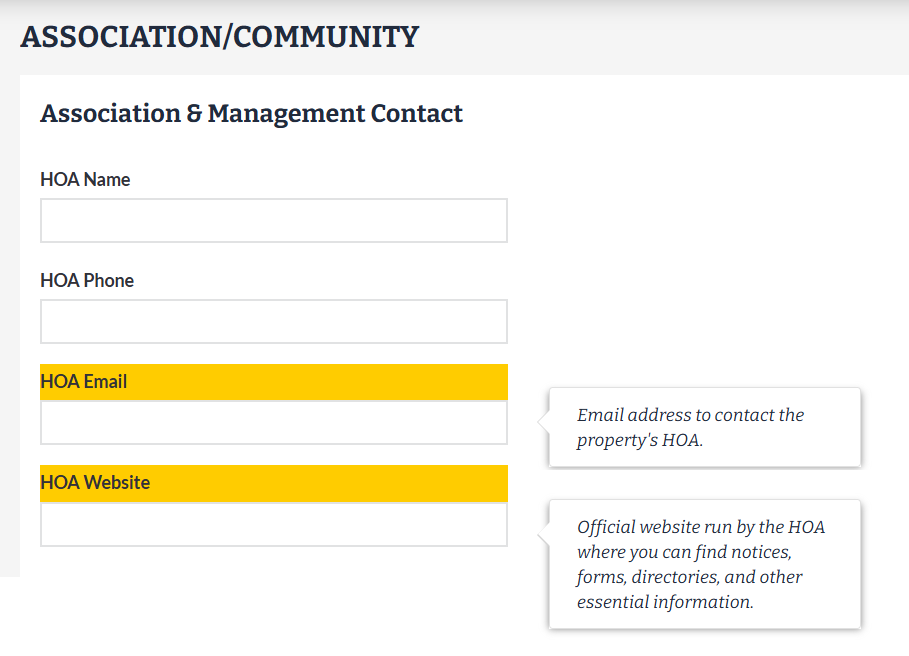
As listings are entered and updated with these options, the information will display in Search and reports under Association / Community Info.
For Appraisers: Age column added to the 1004MC Market Conditions Detail Report.
Based on new Fannie Mae requirements, the 1004MC Market Conditions Detail report has been updated to include the age of a property.
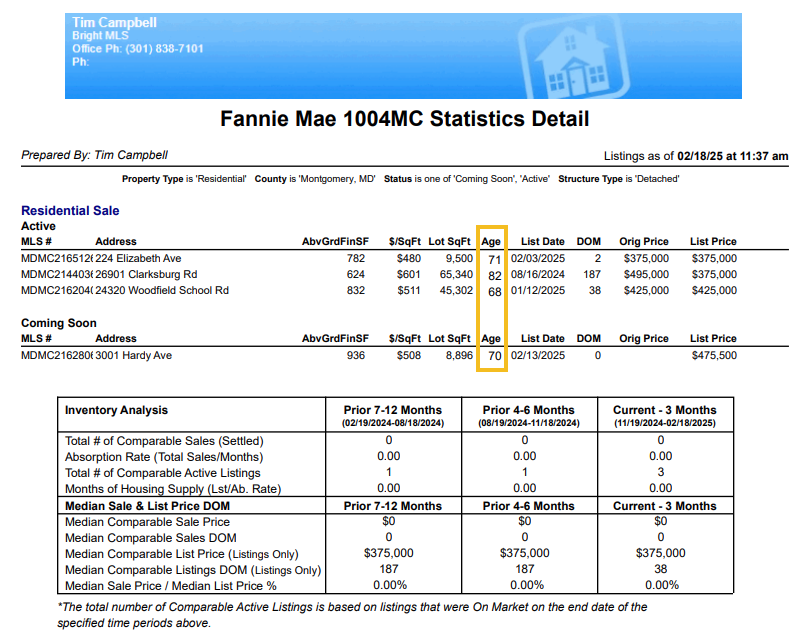
To access this report:
- Search for comparable listings and select the properties you want to show on your report.
- Click Print at the bottom of the screen.
- Scroll to the bottom of the printable report options and choose 1004MC Market Conditions Detail.
- Click Email PDF or Print to PDF to generate the report.
TrustFunds has been removed from Bright.
Due to low usage, the TrustFunds electronic earnest money solution is no longer available to subscribers or accessible through Bright MLS.
Recent articles
Back to Top